1
Create
Choose how many questions and set the answer key by tapping bubbles.


Multipple for iPhone, iPhone Duo and iPad
Multipple creates multiple-choice exams, grades the answer sheets with your iPhone or iPad camera, and keeps your groups, students and grades in one place. Everything is analyzed on your device.
Free for up to 2 exams and 2 groups. One purchase unlocks everything, with no subscription. Requires iOS 26.
10–60
questions per exam
9
grading systems
12
languages
0
accounts, ads or trackers
How it works
Choose how many questions and set the answer key by tapping bubbles.
Print the answer sheet on plain paper, or share it as a PDF. Add a question sheet if you have one.
Point the camera at each sheet. Multipple shoots on its own and shows the grade.
Create
Give it a title, pick the number of questions and mark the key on a grid that mirrors the printed sheet. That's all it takes to have your exam ready to print.
Questions
Only need the answer sheet? Mark the key and you're done. Want a question sheet too? Bring the questions however suits you. They're all saved in your bank for next time.
Import them from a spreadsheet, reuse them from earlier exams or type them in.
Give it your notes or a PDF and your device's AI drafts questions with options. You approve, edit or discard each one. Uses Apple Intelligence, on compatible devices.
Grading
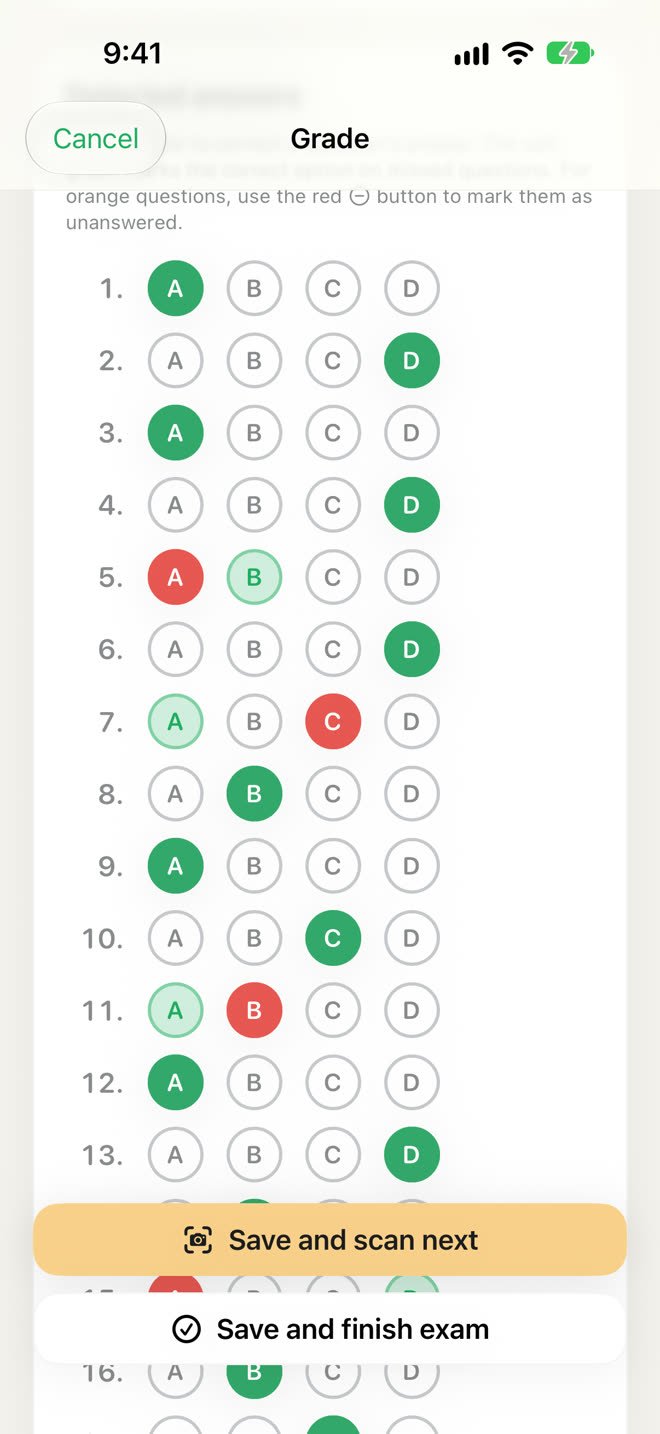
The camera finds the four corner marks, takes the photo by itself and reads every bubble. You see the grade and every answer right there on the screen.
Doubtful marks turn orange so you can settle them with a tap. No grade is saved until you say so.
Save, and the camera comes right back for the next sheet. No menus, no extra steps.
Classroom
Multipple doesn't stop at the grade. It also keeps your groups, attendance, assignments and oral exams together.
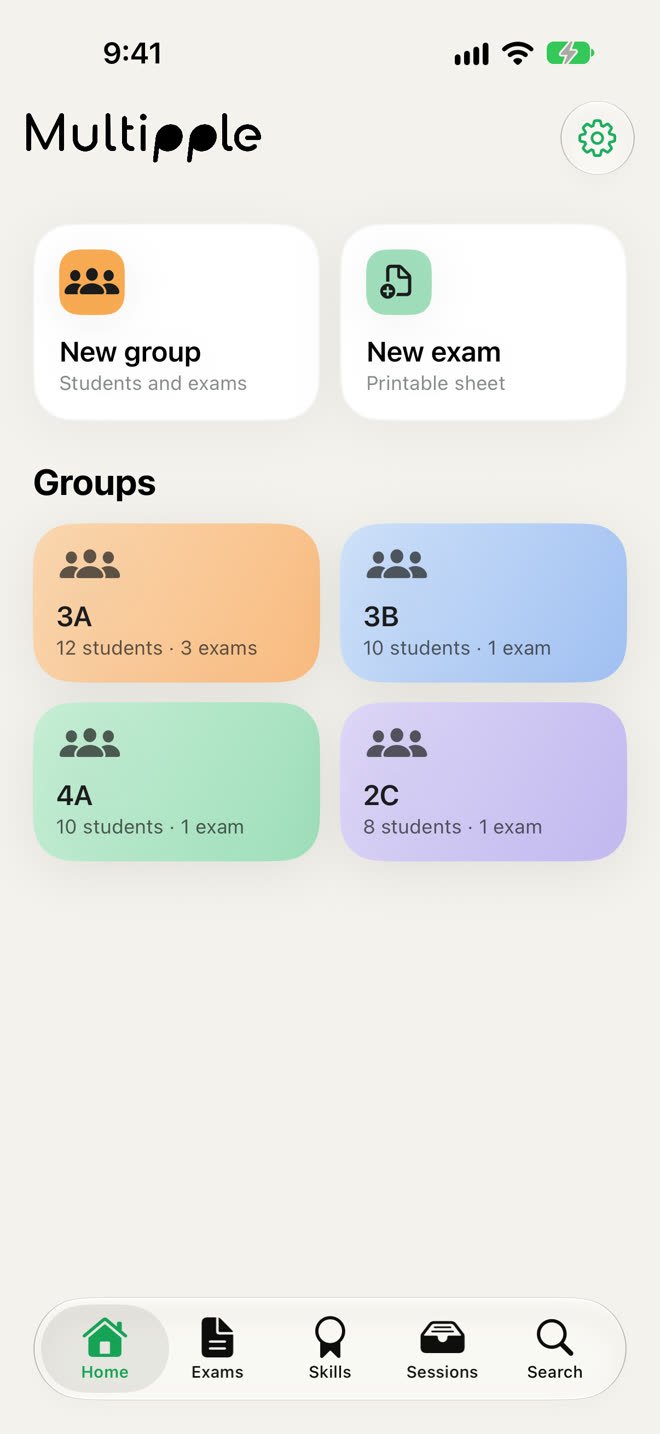
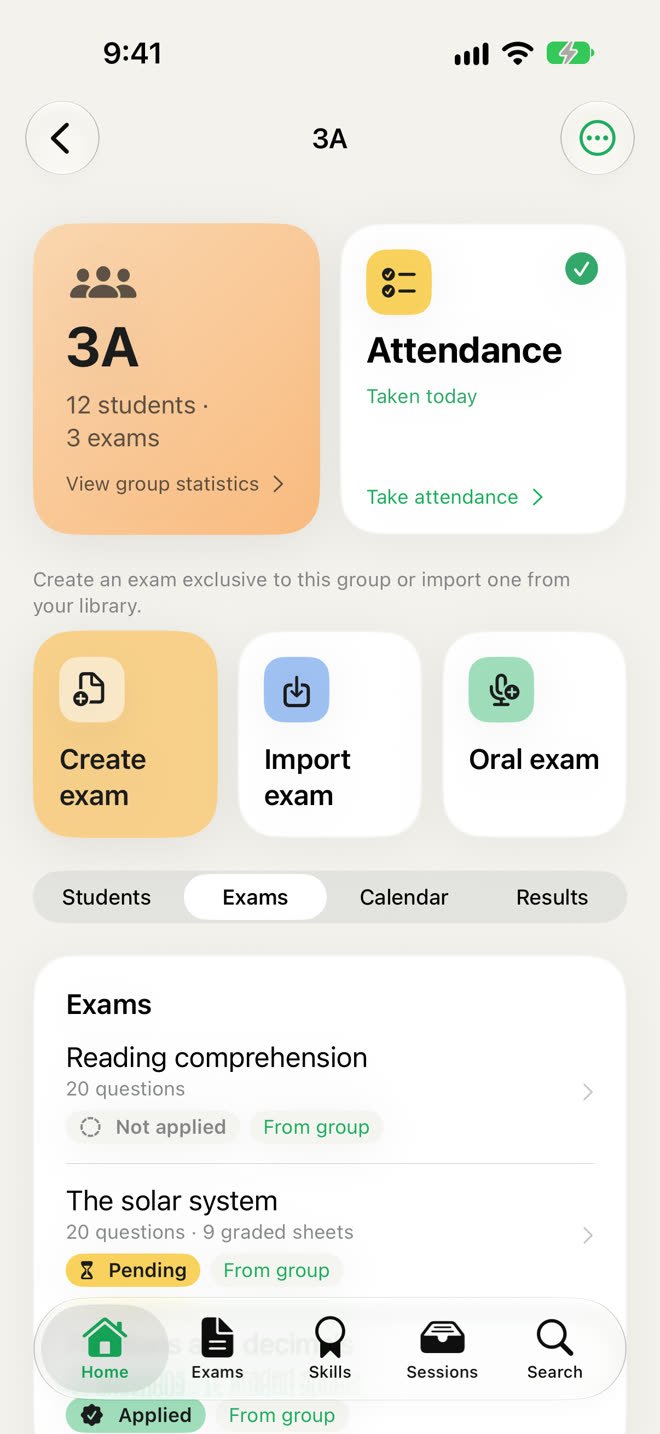
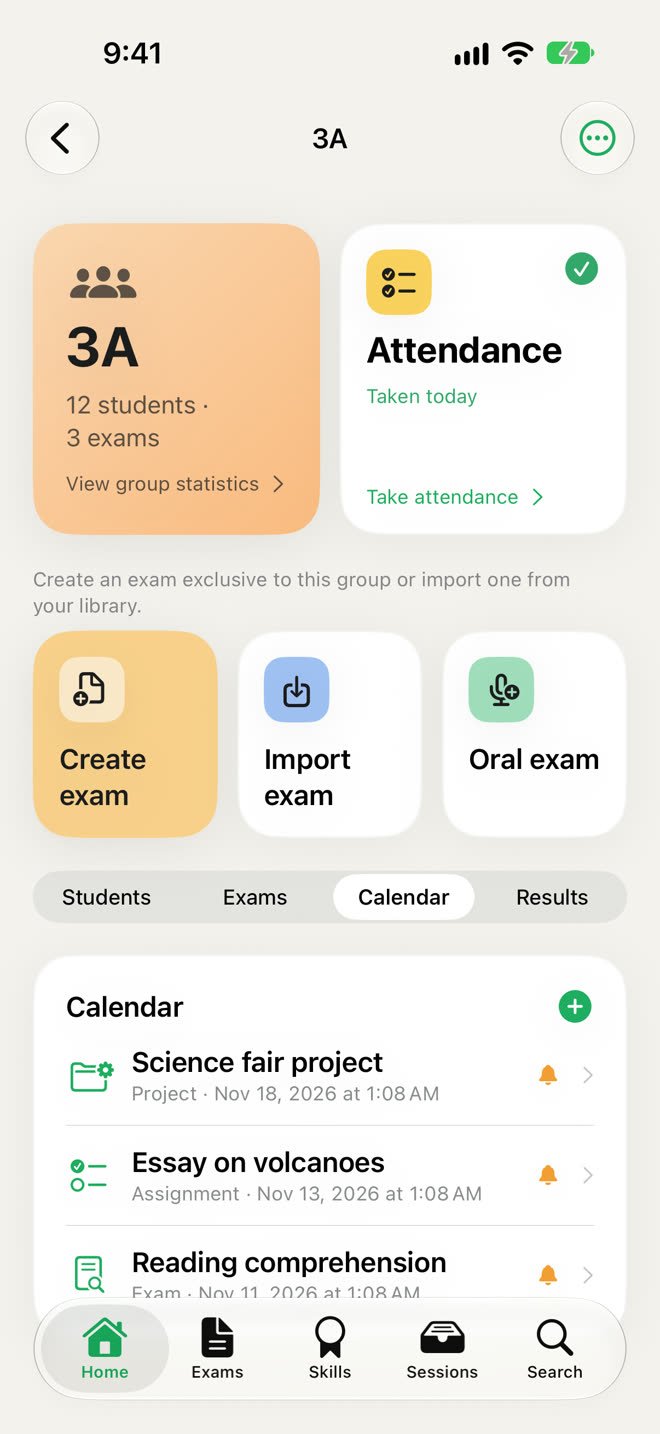
Each group gathers its students, exams and statistics. Create exams for one group or import them from your library.
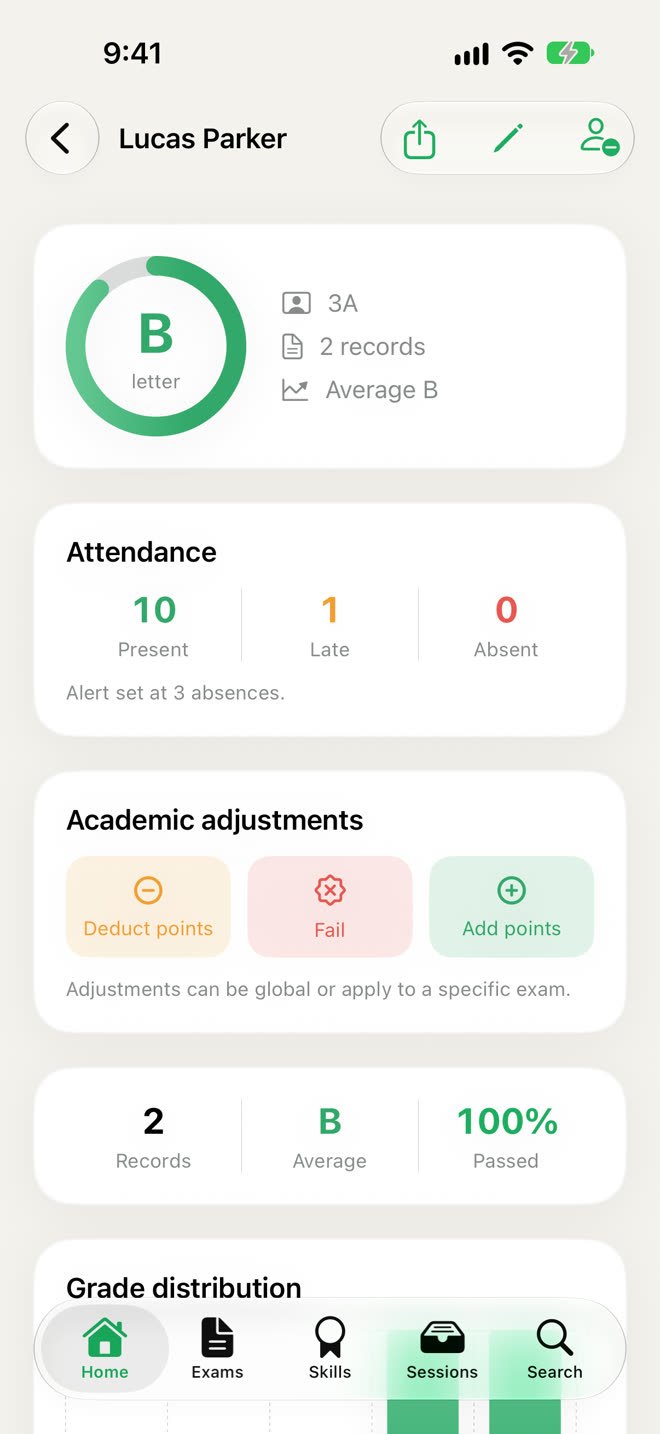
Find anyone instantly and see their history and progress. Move them to another group with their grades, or promote the whole group.
Add or deduct points with a reason, or fail someone outright. Assignments and projects get a grade too.
Questions are drawn at random from your list. Check the answer and score it correct, half a point or incorrect.
Collect sheets in a session, like a make-up exam. Just want a look? Free mode grades without saving anything.
Split the questions across skills, like math or reading, and get a grade for each one on top of the final grade.
Attendance
Take attendance with present, late or absent, with an optional daily reminder and an alert when a student reaches your absence limit. Schedule exams, assignments and projects with reminders.
Results
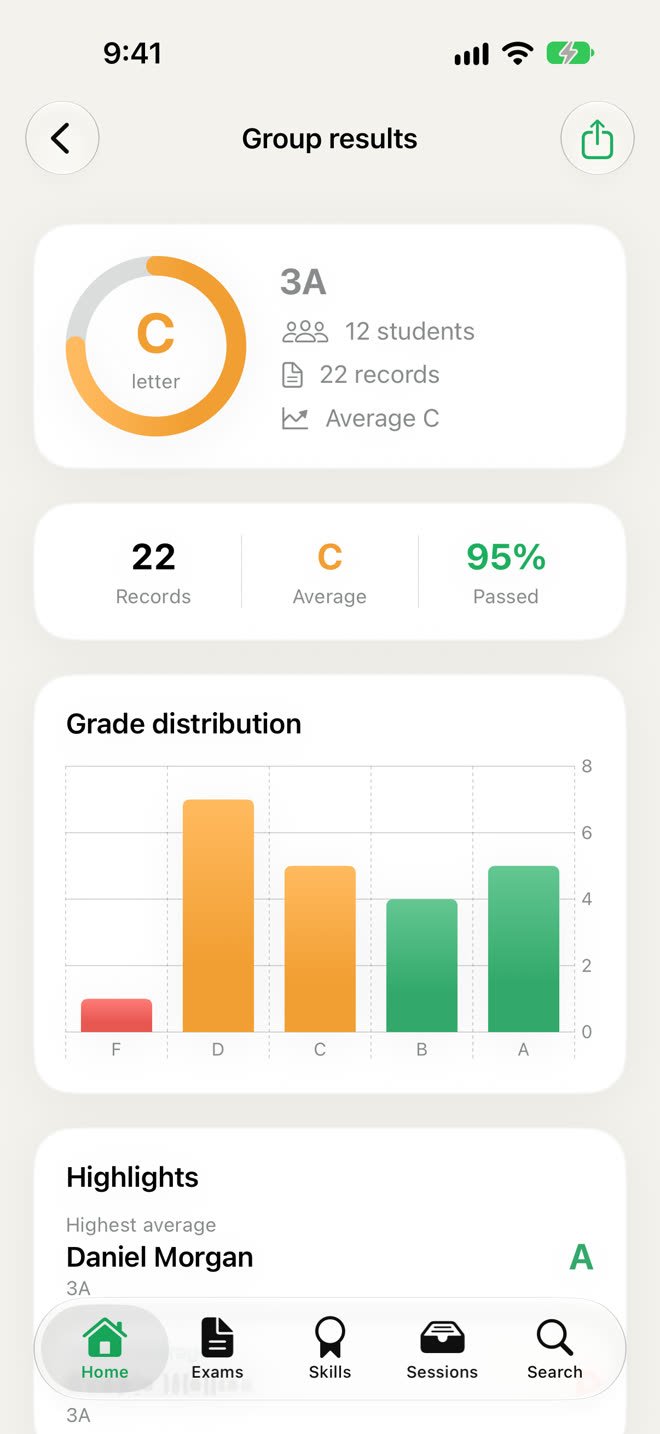
Averages, pass rates and grade distribution by group and by student, with their progress through the year and the cases that stand out.
Your grades are yours: open them in a spreadsheet or hand in a report in seconds.
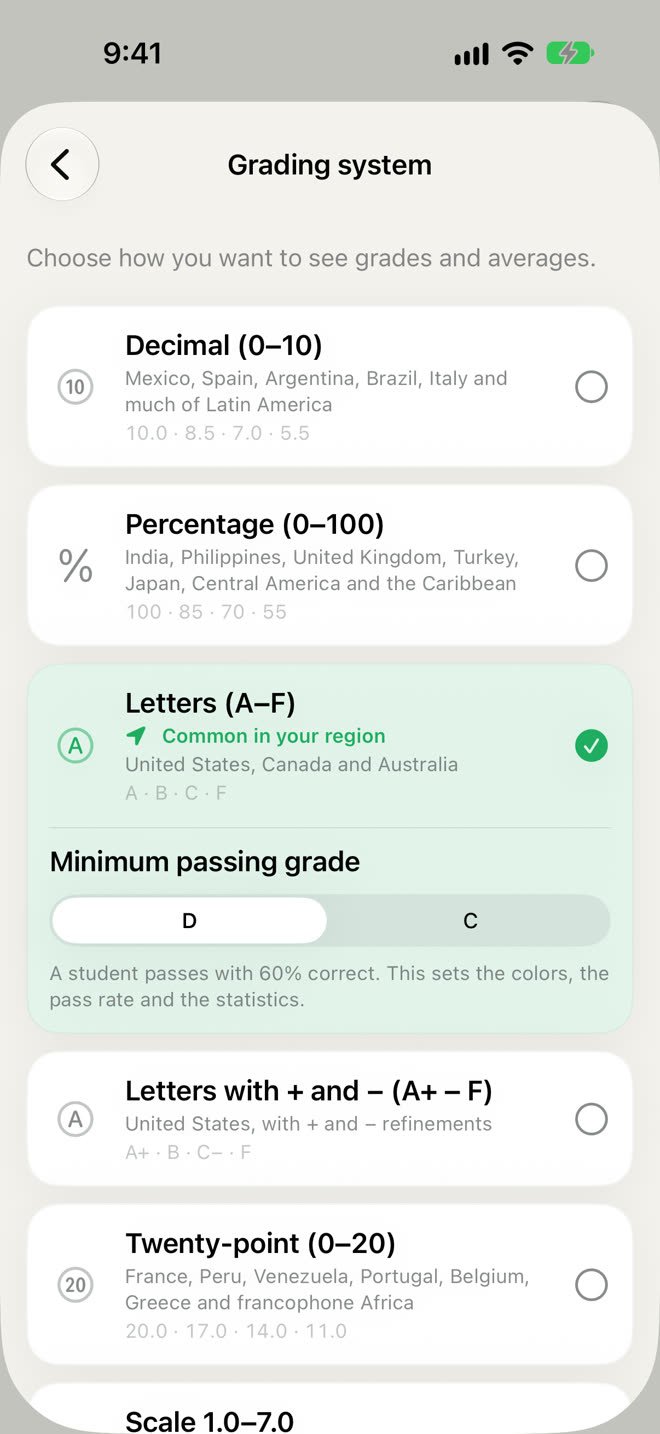
Choose how grades appear and the mark needed to pass. Change it any time: no grade is rewritten.
Inside the app
And also
Privacy
Sheets are analyzed on your device, with no accounts, no ads, no analytics and no servers of ours. Nothing about your students ever reaches us.
Scanning, handwriting recognition and AI all run on your iPhone or iPad, even without a connection.
A weekly copy goes to your own iCloud Drive, or whenever you ask. New phone? Restore it and pick up where you left off. You can turn it off.
Pricing
Try every feature for free with 2 exams and 2 groups. When you need more, one purchase removes the limits. No subscription, no renewals.
Free
0
Forever, with no account
Lifetime
US$20
During your first 14 days, US$30 afterwards. One-time purchase. The App Store shows the price for your country.
Questions
No. Print the A4 sheet on plain paper with any printer, in black and white. You can also make photocopies.
Yes. Multipple reads pencil and pen. If a mark is too faint or two bubbles are filled in, it flags the question so you can settle it.
No. Creating, scanning and grading all work offline. You only need a connection for iCloud backups and purchases.
It's built to handle real classroom photos, but no automatic reading is perfect. That's why you review each sheet before saving it, and doubtful answers are highlighted for you.
Restore your latest iCloud backup on the new device and everything comes back: groups, students, exams and grades.
Support
Behind Multipple there's a person, not an automated form.
If you prefer plain old email: support@indielob.com